

Picture a rainy Sunday. You’ve got a laptop, a spare Xbox pad and an empty download folder. You search for free controller games for pc, install the first thing that looks good, and find the menus only respond to a mouse. Annoying, and avoidable.
Plenty of free PC games with controller support work well with a gamepad, whether it’s an Xbox, PlayStation or generic USB model. Racing, fighting and platform games often feel better with sticks, triggers and a D-pad than with a keyboard. But “supports controllers” can mean very different things.
This guide picks games worth your storage space, explains what each label really means and shows you how to get set up.
One note on method: I haven’t tested these games with every controller. Details come from Steam and Epic listings, official support pages and published reports, so check each store page before you download.
Which Free PC Games Work Best With a Controller?
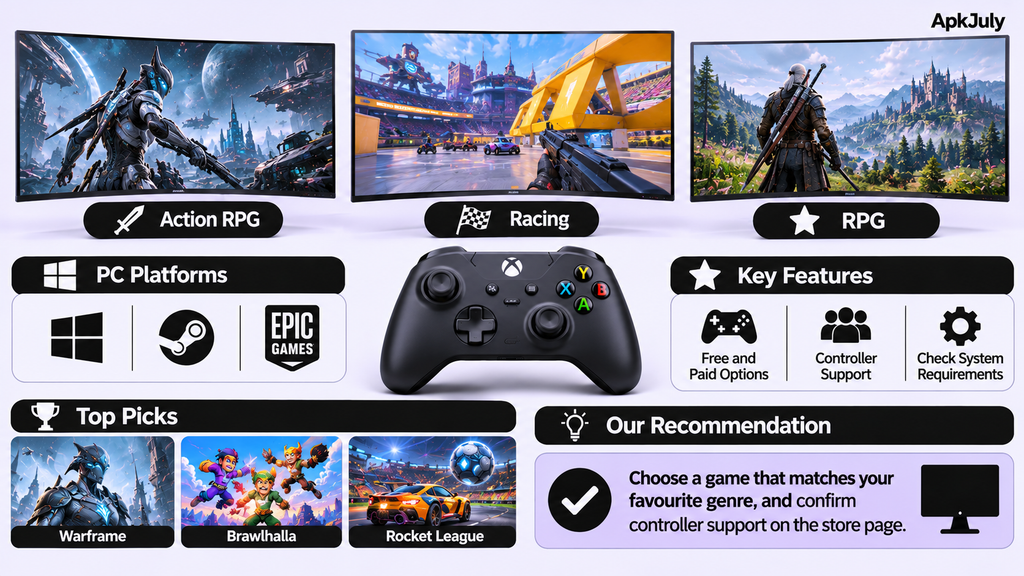
Here’s the short list of the best controller games for pc that cost nothing, with what I could verify for each.
| Game | Genre | Controller support | Local multiplayer | Free model |
| Warframe | Action | Steam lists full controller support, with DualShock support | No (online co-op) | Free-to-play, optional purchases |
| THE FINALS | Shooter | Supported, with aim assist; check Steam’s label | No | Free-to-play, cosmetics only |
| Brawlhalla | Platform fighter | Steam lists full controller support | Yes, local play | Free-to-play |
| Rocket League | Sports/driving | Controllers supported on Epic | Yes, split-screen with two controllers | Free-to-play, Epic Games Store |
| SuperTuxKart | Kart racing | Gamepad support | Yes, split-screen | Free, open source |
| Genshin Impact | RPG | Native, with quirks | No | Free-to-play, optional purchases |
| SuperTux | Platformer | Configurable joystick input | No | Free, open source |
What Are the Best Free Action Games for PC With Controllers?
Warframe and THE FINALS lead the best free action games for pc with controller, and they feel very different.
Warframe is a third-person action game where you play space ninjas in co-op. Steam lists full controller support, plus DualShock and Steam Input support. It’s a big install, with a Steam minimum of 4GB RAM and about 75GB of storage. It also needs a broadband connection. Optional purchases exist, but the game is built to avoid pay-to-win.
THE FINALS is a free-to-play shooter where teams fight in destructible arenas. Its controller support comes with aim assist, a feature that nudges your aim toward targets. That assist has drawn plenty of debate in cross-play lobbies. Steam’s controller label has been described inconsistently, so check the listing. Purchases are cosmetic only, according to the developer’s FAQ. Shooter fans can also browse our list of the best sniper games for PC.
What Are the Best Free Fighting, Party and Local Multiplayer Games?
Brawlhalla and Rocket League handle the sofa-gaming crowd.
Brawlhalla is a free platform fighter with full controller support on Steam, and it’s a Steam Deck Verified title. Local play supports several players on one PC, though you’ll need a controller for each. It’s easy to learn, and a Friday-night session needs nothing more than a few pads.
Rocket League is football with rocket cars. It’s free on the Epic Games Store, and Epic’s support page confirms split-screen on PC when two controllers are connected. DualShock 4, Xbox 360 and Xbox One controllers all work. Keyboard-and-mouse can’t join a split-screen game.
What Are the Best Free Racing Games?
SuperTuxKart is a free, open-source kart racer in the Mario Kart mould. Its gamepad support improved in version 1.2, and split-screen multiplayer lets friends race on one PC. Some write-ups cite up to four local players, and newer builds are reported to allow more. It’s light enough to run on modest hardware, and it costs nothing, with no ads or microtransactions.
I also looked at Disney Speedstorm, but couldn’t confirm its current PC status, so I left it out.
What Are the Best Free RPG and Open-World Games?
A free-to-play open world action RPG that supports PC controllers. Compatible with Xbox and PlayStation pads. The game plays very well and makes full use of the controllers when exploring and fighting.
Two quirks matter. Your controller may not work at the main menu until gameplay starts, and older reports say you can’t remap buttons on PC. It is very large, around 129Gb on one tracker (Please check how big it is currently).
What Are the Best Free Platformer Games for PC With Controllers?
SuperTux, one of the best free platformer games for pc with controller,SuperTux is a free open source 2D platformer inspired by Mario. You can customise the joystick buttons.
Platformer games lend themselves very well to a gamepad as you can get very precise control from the D-pad and jump button. SuperTux is also a very small game so it will run well on older computers.
Which Free PC Games Support Xbox, PlayStation and USB Controllers?
This can vary between different games but Xbox controllers will always be your best bet. Most PC titles use Xbox button prompts and remaps. The support page for Rocket League for example lists Xbox 360 and Xbox One controllers as the top options along with the DualShock 4.
PS controllers usually work (sometimes through Steam Input). You may also notice that your buttons are represented by Xbox icons on screen. Generic USB gamepads can vary depending on what type they are. If they use XInput then they should work fine.
However if they use the older DirectInput method, and you have a cheap controller that doesn’t work, using a button remapper or changing the settings in Steam for your controller should sort the problem.
If you have an Xbox controller then you should be fine almost anywhere. Otherwise give the store page a quick look.
How Do You Connect a Controller to a PC?
You can either connect via USB or Bluetooth. If you do so via USB then make sure you plug it into your PC. If using Bluetooth, you can use Windows settings to pair with the controller. Then make sure Windows recognises it.
Xbox controllers can be connected via USB, Bluetooth or wireless adapter. They usually work with most games.
PS4 controllers can be connected via USB or Bluetooth. But some Steam Input is required for some games. It may show Xbox buttons for each button.
PS5 Dualsense controllers will work for basic controls but will require game support for adaptive triggers.
Many generic gamepads will be using XInput which is the standard that most games expect. Older gamepads may be using DirectInput, which may require remapping buttons.
Steam Input can be activated by going into your controller settings in Steam and enabling support for your controller type. Then go into the game’s properties and test your controller.
What Does Full Controller Support Actually Mean?
It means you can play, including the menus, without touching a keyboard or mouse. That’s the ideal.
- Native support: the game has controller support built in.
- Steam Input: Buttons are translated (often with layout presets made by members of the community). If your game does not recognise your pad you can remap the buttons to fit what the game expects.
- Partial support: You can play with the pad but may have issues with menus.
If you want to know how to play PC games with a controller comfortably, check Steam’s controller label before downloading, along with the developer’s documentation and recent player feedback. Labels can lag behind updates.
What Are the Best Free Local Multiplayer and Split-Screen Games?
With local play you will have all players playing on the same PC. Each will need their own controller.
Brawlhalla has local multiplayer modes built into the game. Rocket League has local split screen mode. SuperTuxKart also has a local split screen mode where families can play. Warframe, Genshin Impact and THE FINALS are all online games so you won’t get couch mode. It is worth checking how many players the game can support. Split screen can cause some issues on older hardware.
Which Free Controller Games Suit Low-End PCs?
Pick the small, old-school options. SuperTux and SuperTuxKart run on modest hardware, and Brawlhalla’s 2D visuals are forgiving too. Warframe lists 4GB RAM as its minimum, but its storage needs are heavier, and Genshin Impact needs far more space.
Before you install anything, check your processor, graphics, RAM, free storage and Windows version. Minimum specs only get you in the door, and updates take extra room. For more light options, see our guide to free gun shooting games for older PCs. Thinking of upgrading? Our best gaming laptop around £500 guide covers budget machines.
How Do You Fix Common Controller Problems?
- The controller won’t work in the game. Check your controller is connected, check Windows recognises it, and check the game settings. Restart the game.
- Recognised in Steam but not in-game: Check Steam Input settings and layout.
- Recognised in-game only: Partial recognition so look for alternate layouts.
- Xbox buttons on PlayStation pad: Look for an option to prompt as a PlayStation in settings.
- Latency/stick drift: Try wired connection, reduce wireless interference, check dead zones and calibration.
Are Free Controller Games Really Free?
For the most part, yes. Free to play games are games that you pay nothing to play, but they make money through selling cosmetics, battle passes or progression boosters. The demo or free trial does not mean it will be free to play forever.
A lot of them require you to have an account to play them or an internet connection. For example Warframe requires you to have a broadband connection. You must download them from official stores such as Steam, Epic Games Store or the publisher’s website. Avoid downloaders that seem suspicious.
Our guide to the best websites to download PC games for free explains which sources are legal and safe.
Best Budget Controller for PC: India Buying Note
Quick note to those in India. The games will work with similar controllers. A few budget options can be found on Amazon India. All prices below are in rupees (INR) based on what was available on 1st November 2026 and are subject to change frequently. None of these have been tested by me, so ensure they are compatible on the listing.
| Controller | Type | Listed features | Price (INR) | Rating |
| HELLCOOL PC Controller with Charging Dock | Wireless | Hall Effect joysticks, 1000Hz polling rate, anti-drift, 1000mAh battery, RGB lighting | 4,608.75 | 4.4 (513 ratings) |
| Joso Game Controller | Wireless | Works with PC, iPad, iPhone, Android and Switch; back buttons, turbo, 6-axis gyro, dual motors | 3,200.13 | 3.6 (56 ratings) |
| 6-Button Layout Fighting Controller | Wireless | Hall Effect joysticks, 8-way D-pad, turbo function, white finish | 3,572.77 | 5.0 (1 rating) |
| Sefitopher Wired PC Controller | Wired | Dual vibration, turbo, Windows 7/8/10/11 | 1,663.45 | 3.5 (8 ratings) |
| USB Wired Game Controller | Wired | Dual vibration, Windows 11/10/8/7, works with Steam and RetroPie | 1,919.56 | 3.5 (524 ratings) |
Don’t be fooled by the low numbers of people buying the product. A few reviews won’t show you much. If you’re playing fighting games like Brawlhalla a good D-Pad is really important. If you’re on a tight budget then you’ll want to get a wired one to avoid having to worry about batteries and connecting.
Frequently Asked Questions
Can I play PlayStation 4 controllers on PC?
Yes. You can connect them via USB or Bluetooth. However some games will require Steam Input. Some games will have icons for the Xbox buttons too.
Do I need Steam Input?
This depends. Some games will support pads and others won’t. Steam Input can help if they don’t.
What are some free games that support local multiplayer?
Some great ones include Brawlhalla, Rocket League and SuperTuxKart. They will all have local or split screens. You will need individual controllers per person. Check how many people can play on the game’s store page.
Do free controller games require the internet?
Yes, often. For example Warframe requires broadband. Most online games will require you to have an account. SuperTux and SuperTuxKart also have single player modes.
Are free PC games safe to download?
Yes if you download them from official sources like Steam, Epic Games Store or the publishers site. Do not download from third party sites.
Conclusion
If you’re playing with friends, go with Brawlhalla or Rocket League. Look at Warframe for an in-depth action game. For a low spec PC consider SuperTux or SuperTuxKart. Xbox controllers are the easiest to use whilst Playstation controllers are easy once you’ve got Steam Input set up.
Look at what controllers the game supports and system requirements. Find one that suits how you like to play. If you want to look into more free controller games for pc then continue looking through our guides on APKJuly.